Ritournelle:Plugin
A downloadable tool
License / Terms of Use
✅ Allowed:
Use in personal projects
Use in commercial projects (sell your game)
Use in multiple projects
Modify the plugin for your own use
❌ Not allowed:
Resell, share or redistribute the plugin files
Give the files to someone else (paid or free)
Include the plugin in any asset pack or bundle
Claim the plugin as your own work
RPG Maker MV Plugin: Variable Gold Limit
This plugin allows you to modify the player's maximum gold capacity based on whether a switch is activated or not. Useful for integrating mechanics like backpack upgrades, portable chests, or temporary gold debuffs.
1. Installing the plugin in the project
- Copy the script code into a text file.
- Rename this file exactly
Limite.js. - Place the file in your project folder:
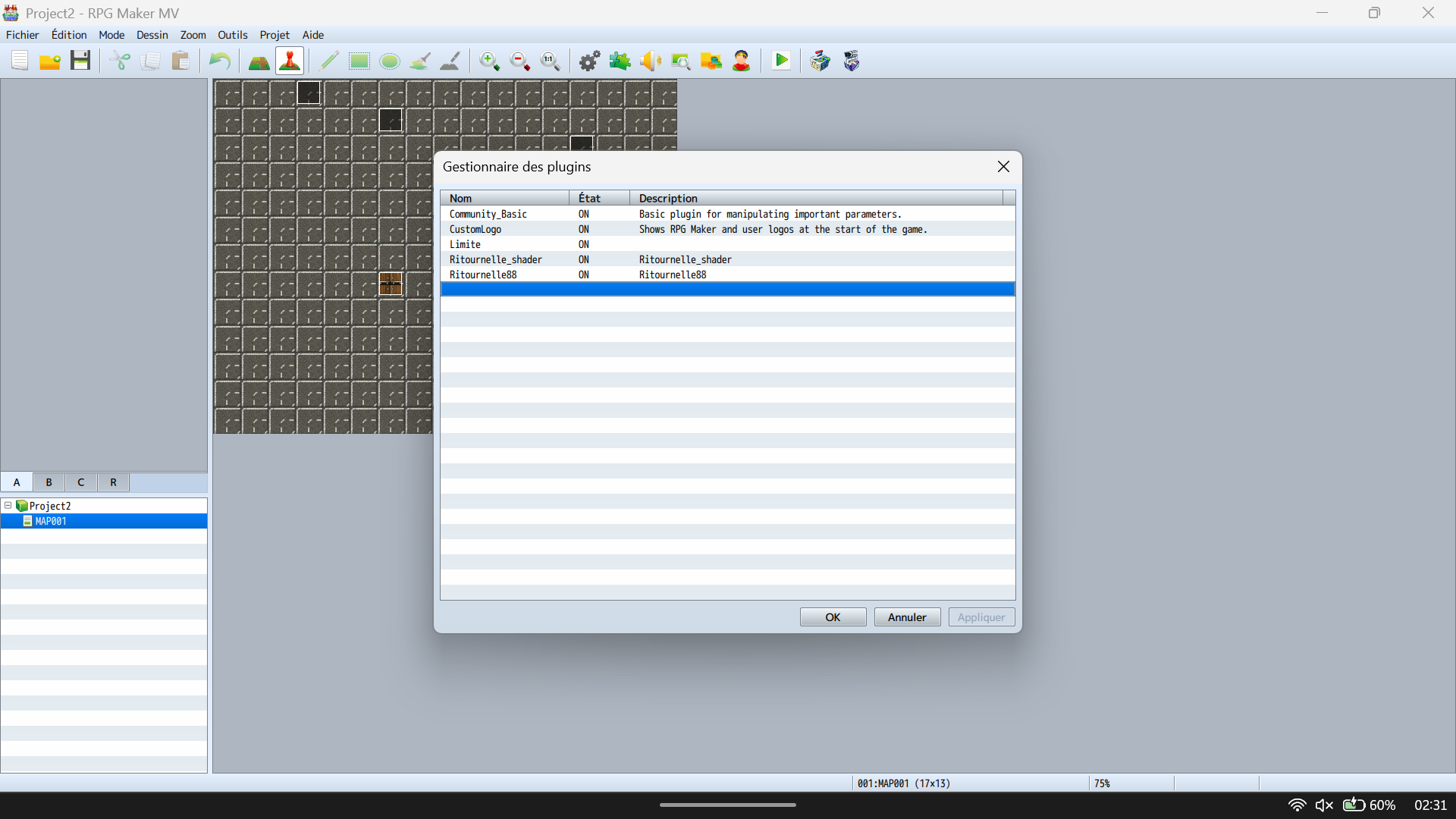
YourGameName/js/plugins/. - Open RPG Maker MV, go to the Plugin Manager (puzzle piece icon), double-click on an empty line, and select
Limite.
2. Setting capacities
The game creator does not need to touch the code. Everything is configured within the software interface:
- In the Plugin Manager, double-click on the
Limiteplugin. - On the right, only modify the two visible lines:
- Capacité Or quand ON (Gold Capacity when ON): Enter the maximum number allowed when the player unlocks the large backpack. (Note: The number 3000 is just an example, you can choose the exact amount you want, like 5000, 10000, etc.)
- Capacité Or quand OFF (Gold Capacity when OFF): Enter the default maximum number allowed when the player does not have the bag. (Note: The number 200 is just an example, you are completely free to set the amount of your choice, even 0 or 50).
3. In-Game Functionality (Switch 2)
- The plugin is hardcoded to use Switch 2 in your project.
- Switch 2 OFF: The game caps the gold at the "Capacité Or quand OFF" value.
- Switch 2 ON: The game instantly switches to the "Capacité Or quand ON" value.
- If the player receives more gold than the active limit, the script automatically removes the surplus in real-time to prevent exceeding the maximum.
Support & After-Sales Service
If you encounter a bug, an installation issue, or a conflict with another script, leave a message here. I will fix the problem within 24 hours.
Plugin 2: Ritournelle_shader (Screen Grain / Noise Effect)
This plugin applies a noise filter effect (cinematic or retro grain) directly onto the game screen.
Settings & Functionality:
- Install the plugin and name the file
Ritournelle_shader.js. - Open the Plugin Manager and double-click on
Ritournelle_shader. - In the right column, you can directly configure the grain intensity.
- The value must be between 0 (no effect) and 10 (maximum intensity).
- (Note: You can choose the exact number you want depending on the style you are looking for, such as 3 for a light grain or 8 for a very strong effect).
Plugin 3: Ritournelle88 (Animated Parallax Fog)
This plugin allows you to display and animate a realistic fog effect on your maps.
Configuration & Prerequisites:
- Install the plugin and name the file
Ritournelle88.js. - Required: You must place your fog image into your project folder:
YourGameName/img/parallaxes/. - Your fog image must absolutely be named
fog1(lowercase,.pngformat).
In-Game Functionality (Switch 99):
- The plugin is hardcoded to use Switch 99 in your project.
- Switch 99 ON: The fog appears and automatically animates on screen.
- Switch 99 OFF: The fog disappears instantly.
Regularly update:New feature and improvement added over time.
Purchase
In order to download this tool you must purchase it at or above the minimum price of $3.99 USD. You will get access to the following files:
Leave a comment
Log in with itch.io to leave a comment.